

Table of Contents
In the age of AI, customers expect instant responses and seamless experiences. Salesforce Einstein Bots are a game-changing tool that can transform how businesses interact with customers. Whether you are new to the Salesforce ecosystem or a seasoned professional, this guide will walk you through getting started with Einstein Bots step by step.
What Are Salesforce Einstein Bots?
Before diving into the setup, let’s first understand what Salesforce Einstein Bots are.
These AI-driven bots are integrated into Salesforce Service Cloud to handle routine customer inquiries, provide instant responses, and assist human agents by managing simple tasks. Using Einstein Bots improves response times, reduces agent workload, and delivers a more seamless customer experience.
Setting Up Your First Einstein Bot
To start, you need to have a Salesforce account with Service Cloud enabled.
Once you’re logged in, follow these steps:
Step 1: Navigate to the Service Setup page.
Step 2: Under “Recommended Setup,” you’ll find an option to set up Einstein Bots. Click “Start.””
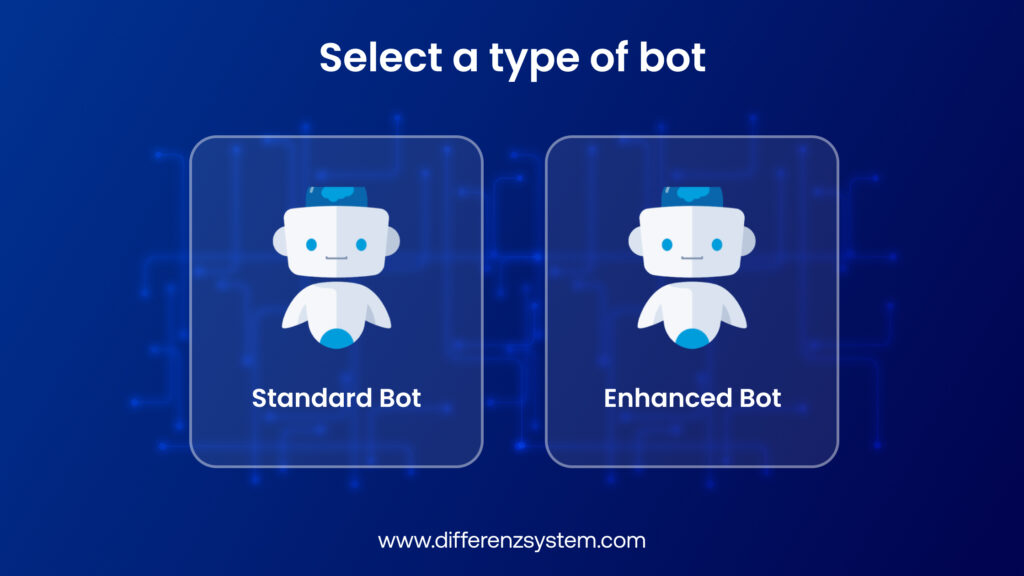
Step 3: Configure your bot’s basic settings, such as setting the bot profile, defining the greetings and main menu options, and setting dialogues that specify what your bot can handle.
Step 4: Select the appropriate time zone and set business hours if you want the bot to operate during specific times.
Designing the Conversation Flow
Now that your bot is set up, the next step is to design how it will interact with your customers. Salesforce provides a visual tool called Bot Builder to help you create this flow.
Step 1: Start by creating “Dialogs.” These are the individual conversations or actions your bot will handle. For example, a dialog could be “Order Status,” where the bot helps customers track their orders.
Step 2: Use the “Decision” element to guide the bot based on customer input. For example, if a customer asks for their order status, the bot can request the order number and then retrieve the status.
Step 3: Test the bot’s conversation flow using the built-in simulator. This tool allows you to see how the bot responds and make any necessary adjustments before going live.
Integrating with Data and Automating Tasks
Einstein Bots are powerful because they can access data directly from your Salesforce CRM and perform automated tasks. Here’s how to set it up:
Step 1: Under the “Bot Management” section, select “Deploy.” You can deploy the bot on multiple channels, such as your website, mobile app, or messaging platforms.
Step 2: Configure “Variables” to store and use customer information throughout the conversation. This is especially useful for personalizing interactions.
Step 3: Automate tasks such as scheduling appointments or creating cases. The bot performs these actions based on customer input, making the process faster and more efficient.
The Power of Al in Customer Service
Salesforce Einstein Bots are more than a trendy tool; they represent a fundamental shift in how businesses interact with customers.
By following this guide, you’re not just deploying a bot; you’re enhancing customer service with AI and ML services that enable continuous learning, smarter interactions, and efficient automation. As technology advances, your bot will evolve and become an indispensable asset to your team.
Conclusion
Integrating Salesforce Einstein Bots into your customer service strategy is a game changer. By following the steps above, you can create a bot that meets your current needs and scales with your business.
Start small, refine often, and watch your customer interactions become smoother and more efficient.
Unlock your business’s full potential with our expert Salesforce services to streamline operations and drive growth.